Smart class for school: tablets or a smart board?
EduSoulX guide for school owners and principals. Updated: 12 October 2026.
A smart board helps the teacher show the lesson. Student tablets help every student do the lesson. Both are called a "smart class", but they solve different problems. Decide which problem your school wants to solve first.
What each one is
- Smart board: one large interactive screen in front of the class. The teacher shows videos, diagrams and slides. Students watch.
- Student tablets: one tablet for each student. Students read, practise questions, give tests and clear doubts, in class and at home.
Tablets vs smart board, point by point
| Point | Smart board | Student tablets |
|---|---|---|
| Who uses the screen | The teacher | Every student |
| How students learn | By watching | By doing: reading, practice and tests |
| Practice and tests | The whole class together | Each student, with results for each |
| Doubts | Only when the student asks in class | At any time, on the tablet |
| Homework and study at home | No | Yes, the tablet goes home |
| Weak and shy students | Easy to stay hidden | Each student's progress is visible |
| How it is paid | The school, one board per classroom | One tablet per student; some schools include it in the yearly fee |
When a smart board is enough
- The main need is better teaching in class: videos, 3D models and diagrams.
- Students do not study at home with any device.
- The school wants one purchase for the classroom, not one for each student.
When student tablets make more sense
- The school wants better results, which come from daily practice by each student, not only from better teaching.
- Parents ask for help with study at home and with the phone habit.
- Teachers spend too much time on notes, question papers and checking.
- The school wants something new to show parents at admission time.
Many schools use both: the smart board for teaching, and tablets for practice, tests and homework.
5 steps before you start
- Start with the classes that matter most, for example Class 8 to 10, not the whole school at once.
- Check the network. Choose tablets that work offline, so a weak Wi-Fi does not stop the class.
- Lock the tablets. Games, YouTube and social media must be locked, or parents will complain in the first month.
- Train the teachers first. A smart class works only when teachers use it every day.
- Hold a parent meeting. Show parents what is locked and what the child will study on the tablet.
How EduSoulX works in a school
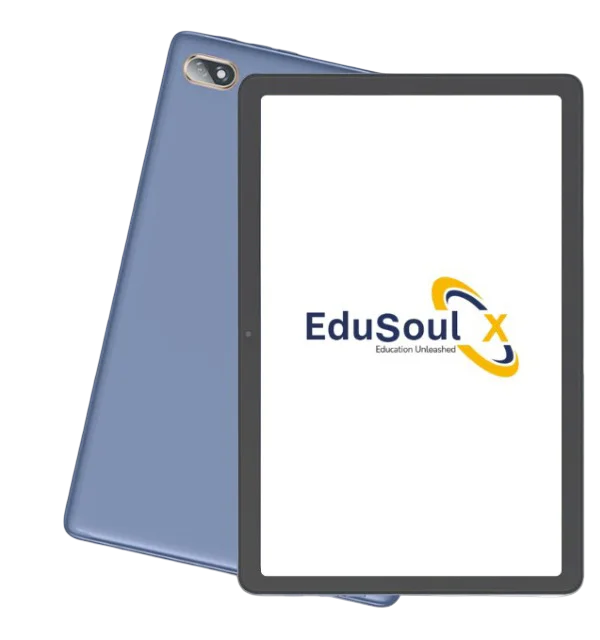
- Every student gets an EduSoulX tablet locked for study: games, YouTube, social media and open internet are locked, and students cannot install other apps.
- Munja AI answers student doubts from the syllabus, for Class 1 to 12, State Board and CBSE, and prepares notes, lessons and question papers for teachers.
- VidyaUpasna LMS runs study material, exams with auto-check for MCQs, homework and live classes, with logins for management, teachers, students and parents.
- Our team sets up the tablets with student and teacher logins and trains your teachers at the school. In bulk orders, the tablets can carry your school logo.
See how it works for your school on the tablets for schools page, or book a free demo.
CSR projects in education: tablets for school students. For teachers, on Munja AI: AI tools for teachers in India.
Frequently asked questions
Short answers to common questions.
Which is better for a school, tablets or a smart board?
It depends on the goal. A smart board improves how the teacher shows the lesson. Student tablets improve how each student practises and studies, in class and at home. Many schools use both.
Do student tablets need internet in class?
Not always. On the EduSoulX tablet, videos, books and PDFs can be loaded and used without network, so a weak Wi-Fi does not stop the class.
Will students misuse tablets in school?
Not if the tablets are locked. On the EduSoulX tablet, games, YouTube, social media and open internet are locked, and students cannot install other apps or change settings.
See the EduSoulX tablet working
Book a free demo for your school, your coaching class or your child.
Book a Free Demo See the EduSoulX tablet Ask on WhatsApp